capcut pc video editing course free 2026 | Minhaj Skills Pro!

The free CapCut PC video editing course for 2026 at minhajskills.com provides a highly structured path for digital creators. You will learn timeline management, advanced audio syncing, and manual color correction without buying expensive software. This training program skips the fluff and focuses directly on practical, problem-solving editing techniques.

This program solves the biggest workflow problem for new editors today. You no longer have to piece together outdated, random tutorials to understand the software. Our curriculum provides you with raw project files to practice with immediately. You build real skills that apply directly to freelance client work.

Recent industry statistics indicate that video content now accounts for over 82% of all internet consumer traffic. Mastering a robust desktop tool positions you to capture a share of this massive market. This guide breaks down exactly what technical skills you will master inside our platform.

Why Choose CapCut PC Over Mobile in 2026?

Mobile editing apps are great for quick, personal social media updates. However, professional client work requires the architecture of a desktop environment. CapCut PC utilizes a precise magnetic timeline and fully customizable keyboard shortcuts. This desktop setup speeds up your editing workflow by a significant margin compared to touchscreen interfaces.

Furthermore, desktop processors handle heavy multimedia files far better. We teach you how to properly activate Proxy editing within the software settings. This crucial feature lowers your playback resolution temporarily while editing. It allows you to edit heavy 4K files on a standard 8GB RAM computer without experiencing interface lag.

Learning on a PC also introduces you to standard non-linear video editing principles. These principles are the exact same foundations used in high-end studio software. Mastering them here makes transitioning to other industry tools much easier later in your career.

Inside the Minhaj Skills CapCut PC Course

Our syllabus treats you like a working professional from day one. We bypass generic feature overviews and jump straight into real-world editing scenarios.

Module 1: Interface Setup & Avoiding Export Errors

Most beginners struggle with pixelated video exports that look terrible on YouTube. We start by configuring your 2026 desktop workspace for optimal performance. You learn how to set exact bitrates, frame rates, and project aspect ratios. We cover the H.264 codec requirements to ensure your final renders maintain crisp, high-definition quality.

Module 2: Advanced Cutting Techniques

Bad pacing ruins otherwise excellent footage. This module covers essential professional techniques like J-Cuts and L-Cuts for seamless transitions. A J-cut allows the viewer to hear the audio of the next clip before seeing the video. You will use the split (Ctrl+B) and ripple delete shortcuts to remove dead air and pauses rapidly.

Module 3: Cinematic Visuals & AI Tools

You do not need a paid software subscription to make your footage look cinematic. We teach manual color grading using the color match tool and primary color wheels. You will learn to balance white levels and adjust skin tones manually. We also cover object tracking and dynamic keyframe animation to create custom motion graphics from scratch.

Module 4: Audio Mastering & AI Noise Reduction

Poor audio quality drives viewers away faster than bad video. You will learn to isolate frequencies to fix background hiss and room echo. We teach you how to sync your audio cuts perfectly to background music beats. This module also covers utilizing AI text-to-speech engines and generating accurate auto-captions for high-retention social media content.

Real-World Troubleshooting: CapCut PC Problems Solved

Software issues can ruin your editing momentum. Our course dedicates specific lessons to troubleshooting the most common desktop editing problems.

Fixing CapCut PC Lag on Low-End Computers: Beyond proxy editing, you must manage your cache. We show you the exact settings menu to clear rendered cache files weekly. You will also learn how to change your default save paths so your primary C-drive does not fill up and crash your system.

Bypassing the “Pro Feature” Export Lock: Many users accidentally apply a “Pro” transition and find they cannot export their project without paying. We teach you how to recognize the ‘Pro’ badge before applying effects. More importantly, you learn how to achieve similar premium looks by layering free-tier transitions and manual keyframes.

Fixing Audio/Video Sync Issues: Variable Frame Rate (VFR) footage from smartphones often desyncs from audio on a PC timeline. This is a common issue when importing iPhone screen recordings. We cover how to process and conform VFR footage properly before you ever import it into your CapCut timeline.

From Skill to Income: Freelancing with Minhaj Skills

Video editing is a technical skill, but freelance editing is a business. Once you master the software, our training shifts focus entirely to monetization strategies. You learn how to package your new CapCut PC skills into distinct services for YouTube creators and local businesses.

The minhajskills.com curriculum includes mandatory practical assignments. You will edit raw footage provided by us to simulate actual client briefs. This structured practice allows you to build a professional, varied portfolio before pitching your first real client. Getting your training through a structured center gives you verifiable project experience.

How to Enroll in the Free 2026 Course at Minhaj Skills

Starting your journey is a simple, straightforward process. You do not need any prior editing experience to begin.

Step 1: Download the latest version of CapCut Desktop directly from the official website. Check the official system requirements to ensure your PC graphics drivers are updated for 2026. Step 2: Navigate to minhajskills.com and register for a free student account. No payment details are required to access this specific program. Step 3: Access your student dashboard, download the provided raw project files, and start editing alongside the instructor step-by-step.

Frequently Asked Questions

Is CapCut PC completely free to use in 2026? Yes, the core desktop software remains completely free to download and use. It operates on a freemium model, meaning select advanced AI filters require a Pro subscription. However, all essential cutting, color grading, and audio tools are free.

Do I get a certificate from Minhaj Skills? Yes. Upon completing all the video modules and successfully submitting your final edited project, you receive a digital certificate of completion from our skill center.

Does CapCut PC leave a watermark on my videos? No, it does not force a watermark on your final exports. The mobile version adds a default ending sequence with a logo, but on the PC version, you can permanently disable this within the global settings menu.

Best capcut & ai video editing course in urdu [Certification]

Video editing is a highly demanded digital skill, but the industry standard is shifting rapidly towards artificial intelligence. The CapCut and AI video editing course in Urdu by Minhaj Skills is designed to teach you these modern workflows. We focus on practical application, taking you from software interface basics to delivering a final client project.

According to industry data, video content now accounts for over 82% of all consumer internet traffic. Businesses and content creators need editors who can produce high-quality videos quickly and consistently. This high demand means traditional, slow editing methods are no longer competitive for modern freelancers.

This course covers CapCut desktop and mobile interfaces, AI auto-captions, audio noise reduction, advanced visual effects, and client acquisition. By mastering these specific AI tools, you reduce your raw editing time by up to 80% compared to manual processes. You learn to produce content efficiently while maintaining professional quality.

Understanding why we prioritize these specific AI tools requires looking at the current bottlenecks in video production.

The Shift from Traditional to AI Video Editing

For decades, learning a non-linear editing system meant spending hours on repetitive tasks. Editors manually cut dead silence, typed out subtitles line by line, and struggled with complex audio mixing. These manual processes limit the number of projects a freelancer can take on per week.

CapCut changed this landscape by integrating artificial intelligence directly into the editing timeline. Instead of relying on third-party plugins, editors now have built-in tools for speech-to-text, background removal, and audio enhancement. This integration streamlines the entire post-production process.

When you transition to AI-assisted editing, your role shifts from a mechanical cutter to a creative director. You spend less time syncing audio and more time refining the pacing, story, and visual appeal of the video. This efficiency is exactly what clients on platforms like Fiverr and Upwork look for in a professional editor.

Knowing the software is only part of the equation; applying it to solve real-world problems is where your value lies.

What Problems Will This Course Solve for You?

Writing and syncing subtitles manually is one of the most tedious tasks in video editing. Our course teaches you to utilize CapCut’s AI Auto-Captions. You will learn to generate accurate subtitles in seconds, format them for high retention, and adjust them for Roman Urdu and English workflows.

Poor audio quality can ruin an otherwise perfect video. Background noise, echo, and low microphone volume are common issues for beginner creators. We demonstrate how to use AI Audio Enhancement and noise reduction tools to isolate vocals and deliver studio-quality sound without expensive audio equipment.

Visual framing often suffers when creators film in messy or unappealing locations. We solve this by teaching AI Auto-Background Removal and smart green screen techniques. You can seamlessly separate your subject from the background, adding dynamic environments or professional studio backdrops with just a few clicks.

Mastering these technical solutions prepares you for the structured curriculum where we build these skills step-by-step.

Complete Course Outline: What You Will Learn at Minhaj Skills

Our curriculum is designed progressively. We start with foundational tools and advance to complex AI integrations, ensuring you build a solid technical base.

Module 1: CapCut Interface & Fundamentals We begin by setting up the CapCut workspace on both Desktop and Mobile. You will learn how to organize your media bins, understand timeline layers, and configure your project settings for optimal playback performance.

Module 2: The Art of the Cut (Storytelling Basics) Editing is fundamentally about pacing. We cover essential cutting techniques like J-cuts and L-cuts to maintain audience retention. You will learn how to sequence B-roll footage effectively so the visual narrative matches the audio track seamlessly.

Module 3: AI-Powered Audio & Text Automation This module focuses entirely on audio-visual sync. You will practice generating 1-click AI Auto-Captions and formatting them with dynamic animations. We also cover AI Text-to-Speech tools, which are highly useful for creating faceless YouTube channels or automated social media reels.

Module 4: Advanced Visuals & AI Effects Here, we move into professional finishing techniques. You will learn AI color correction to fix poor lighting and color grading to give your footage a cinematic look. We also cover auto-tracking for text and objects, motion blur applications, and precise speed ramping for smooth slow-motion transitions.

Module 5: Freelancing & Portfolio Building Technical skills require a business strategy. The final module at Minhaj Skills covers how to export your videos in 4K resolution optimized for YouTube, TikTok, and Instagram. More importantly, we guide you through building a portfolio and securing your first freelance video editing clients.

Having a structured roadmap is crucial because learning randomly often leads to skill gaps.

Why Choose Minhaj Skills Over Free Tutorials?

Free video tutorials are abundant, but they are generally scattered and often outdated due to frequent software updates. Minhaj Skills provides a linear, step-by-step roadmap designed specifically for the Pakistani market. You learn exactly what to do in the correct order.

Furthermore, free content lacks accountability. Our platform offers direct mentorship, practical assignments, and feedback on your edits. This feedback loop is essential for identifying mistakes and improving your pacing and aesthetic choices.

Upon finishing the curriculum, you receive a certificate of completion. This credential serves as a professional baseline when you pitch your services to local agencies or international clients.

This structured environment is tailored for specific types of learners.

Who is this Course For?

Content creators and YouTubers will find immense value here. If you are spending too much time editing your own vlogs or reels, this course will teach you to edit faster. This allows you to focus on content creation rather than post-production software.

Freelancers looking to offer high-paying digital services are our primary audience. The demand for short-form content editors (for TikTok and Instagram Reels) is at an all-time high. This course equips you to offer competitive AI video editing services on Upwork and Fiverr.

Absolute beginners are also welcome. If you are starting with zero technical experience but want to learn a profitable digital skill, this course assumes no prior knowledge. We build your understanding from the ground up.

To clarify any remaining details, we have addressed the most common inquiries below.

Frequently Asked Questions

Do I need a heavy, expensive PC for this course? No, CapCut is a highly optimized software. You can run it smoothly on standard laptops. We also cover the mobile application thoroughly, meaning you can start learning and editing directly on your smartphone.

Is the entire course delivered in Urdu? Yes, the complete CapCut and AI video editing curriculum at Minhaj Skills is taught in clear, easy-to-understand Urdu. We explain technical English editing terms so you understand industry jargon while learning in your native language.

How do I enroll in this program? Enrollment is straightforward. You simply navigate to the course catalog on our website, select the CapCut program, and complete the registration process to get instant access to the materials.

Stop wasting time on outdated manual editing techniques that limit your earning potential. Upgrade your technical workflow, master AI tools, and start providing professional services. Enroll in the CapCut & AI Video Editing Course at MinhajSkills.com today.

Faceless YouTube Channel Course Urdu [2026]: Earn In $$$ Now

Struggle for views? Join the best faceless youtube channel course urdu and learn to earn passive income using AI tools. Get started!

Right now, 38% of all new monetized channels on YouTube are entirely faceless. The “Cash Cow” model allows you to build a digital asset that generates revenue in dollars, 24/7. Many aspiring creators in Pakistan want to earn online but struggle with camera confidence, lack professional studio setups, or have privacy and religious concerns.

Faceless YouTube automation solves this completely. You do not need a camera, ring light, or an expensive studio. You act as a digital director, using smart tools to produce high-value content. At minhajskills.com, our step-by-step practical course is designed specifically in Urdu to take students from absolute zero to a fully monetized channel.

Choosing the right topic is the critical first step to ensuring your efforts actually pay off.

Module 1: Profitable Niche Selection (The Foundation)

The biggest mistake beginners make is starting a channel about random topics. Not all views pay the same. A channel targeting a local audience might make $1 per 1,000 views, while a channel targeting a US or UK audience in a high-value niche can earn $15 to $40 per 1,000 views.

High CPM (Cost Per Mille) niches are where advertisers spend the most money. These include software tutorials, personal finance, health, history, and tech roundups. Evergreen categories ensure your videos get searched and watched years after you upload them, generating true passive income.

The minhajskills.com strategy teaches you how to analyze competitor channels efficiently. You will learn to identify gaps in the market and select a niche that requires zero personal branding but yields maximum AdSense revenue.

Once your profitable niche is locked in, you need a compelling script, even if your English is weak.

Module 2: AI-Powered Scriptwriting & Voiceovers

You do not need to be a fluent English writer or have a studio-quality microphone to succeed. Artificial Intelligence has completely leveled the playing field. Tools like ChatGPT and Claude can write highly engaging, human-like video scripts in minutes.

The secret lies in mastering AI prompts. You will learn how to command the AI to write scripts with short paragraphs, strong hooks, and cliffhangers that keep viewers watching. Furthermore, you will master generating scripts in both English for global audiences and Urdu for local markets.

For audio, a complete guide to using AI voice tools (like ElevenLabs) is essential. Gone are the robotic, emotionless computer voices of the past. You will learn to adjust pitch, add strategic pauses, and control the pacing so YouTube algorithms and viewers never flag your content as “robotic.”

Audio is only half the experience; next, you must pair it with high-retention visuals.

Module 3: Video Editing Without Shooting Video

You can create stunning, professional videos without ever pressing a “record” button on a camera. The internet is full of premium, royalty-free stock footage, images, and background music.

You will learn exactly where to source these free assets from platforms like Pexels, Pixabay, and Envato Elements. Using beginner-friendly tools like CapCut or Premiere Pro, you simply stitch your AI voiceover together with these high-quality visuals.

Audience retention is the metric YouTube cares about most. Adding motion graphics, dynamic captions, and smooth b-roll transitions keeps your audience retention above the critical 50% mark. Our modules guide you through this exact editing workflow step-by-step.

However, sourcing clips from the internet comes with risks if you do not understand the rules.

Module 4: Avoiding Copyright Strikes & “Reused Content”

Getting a channel demonetized for “reused content” is the most common roadblock for new faceless creators. Using stock footage or clips from other videos without proper licensing or transformation can trigger YouTube’s automated detection systems.

Understanding the Fair use policy is mandatory. You must know exactly how much external content you can use and how to add original commentary or educational value to it. YouTube must see that your editing fundamentally transforms the original footage.

We have developed the minhajskills.com Safe-Upload Checklist. This process ensures you transform existing footage into original, highly engaging content that easily passes YouTube’s strict AdSense monetization review process without any copyright strikes.

With your original, safe video ready, it is time to make sure people actually click on it.

Module 5: SEO & Viral Thumbnails (Getting the Clicks)

Uploading great videos is useless if you get zero views. The YouTube algorithm is a search engine, and you must optimize your content so people can find it.

Title and tag optimization is how you rank in search results. You will learn to find low-competition, high-search-volume keywords using industry-standard tools like VidIQ or TubeBuddy. This ensures your video appears when a user types a query in the YouTube search bar.

Click-Through Rate (CTR) is your most important metric. Designing high-contrast, curiosity-inducing thumbnails in Canva specifically tailored for faceless channels will drastically increase your CTR. You will understand how YouTube tests your videos with small audiences first, and how high CTR triggers the recommendation engine to push your video to millions.

Why Choose MinhajSkills.com for YouTube Automation?

Our training is strictly actionable, not theoretical. Every single lesson ends with a practical assignment that moves your channel forward. We explain complex YouTube algorithms and AI tools in easy-to-understand Urdu, removing the language barrier entirely.

Furthermore, you get direct community and mentorship. You have access to instructors at minhajskills.com for channel reviews, niche approval, and direct troubleshooting for any AdSense issues you might face.

Conclusion: Start Your Faceless Journey

A faceless channel is a digital asset that works for you 24/7, generating revenue while you sleep. You bypass the need for cameras, overcome language barriers with AI, and reach a global audience.

Take the next step toward financial independence. Enroll in the “Faceless YouTube Channel Course” at minhajskills.com to secure a limited-time discount and start building your automated digital empire today.

Make Faceless Videos with Free AI Tools

This tutorial provides a complete look into using free AI tools for scripting and voiceovers to build a faceless channel in Urdu.

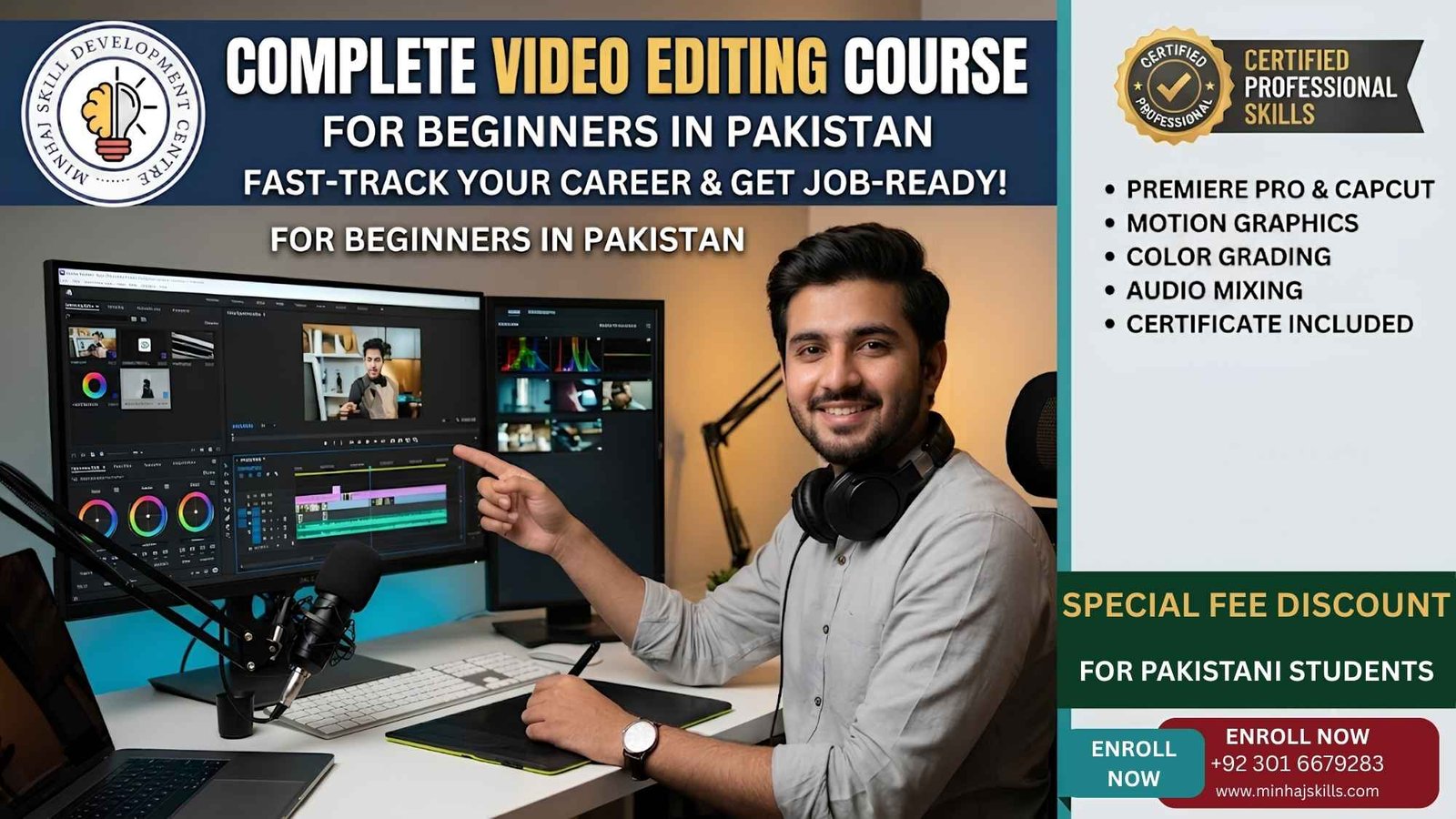
#1 Video Editing Course For Beginners In Pakistan

Pakistan’s youth want to earn online but often get overwhelmed by saturated skills, complex software, and expensive hardware requirements. A slow laptop and no prior experience should not stop you from learning a high-income skill in 2026. Minhaj Skills provides a step-by-step, project-based solution that takes students from zero experience to landing their first paying client.

We solve your immediate roadblocks by teaching lightweight editing techniques designed specifically for standard Pakistani hardware. You do not need a high-end gaming PC to start. We focus on practical workflows that let you edit professional content right away.

By the end of this training, you will have a ready-to-show portfolio that attracts international buyers. This guide breaks down exactly what you will learn and how you can enter the freelance market. Our priority is getting you paid, not just handing you a certificate.

Why Video Editing is the Most Profitable Skill in Pakistan Right Now

The demand for short-form content has exploded across local YouTube channels, TikTok, and e-commerce brands. Over 91% of businesses globally now use video as a primary marketing tool. This massive shift means local and international clients desperately need reliable editors. Learning video editing positions you perfectly for this massive market demand.

Freelancing on platforms like Fiverr and Upwork allows you to earn in US Dollars. Pakistani freelancers generated over $3.2 billion in foreign exchange over the past three fiscal years. Earning in USD protects your income against local inflation and economic instability. With a strong portfolio, even beginners can start earning consistently.

The gap between supply and demand for skilled editors remains huge in the local market. While many people offer basic cuts, clients pay premium rates for editors who understand audience retention and storytelling. Our course bridges this technical gap for you.

Biggest Roadblocks for Beginners (And How Minhaj Skills Fixes Them)

Most beginners quit because they assume their standard laptop is too slow to handle modern video files. We solve this hardware limitation immediately by teaching you “Proxy Editing.” This technique creates low-resolution copies of your video for a smooth, lag-free editing process.

You can easily cut heavy 4K videos on a standard Core i3 or i5 laptop without any frustrating crashes. The steep learning curve of professional software is another major barrier for new students. We start our curriculum with CapCut PC to build your storytelling fundamentals in a highly intuitive interface.

Once you master the basics of pacing and cuts, we seamlessly transition you to Adobe Premiere Pro. This step-by-step approach prevents burnout and builds your confidence quickly. You learn the industry standard without the initial overwhelm.

What You Will Learn: The Minhaj Skills Course Syllabus

Module 1: The Foundations We begin with interface setup, timeline mastery, and proper folder organization. You will learn the exact psychology of viewer retention and strategic B-roll placement. These fundamentals ensure your videos keep viewers hooked from the very first second.

Module 2: Audio & Color Pakistani recording environments often suffer from background traffic, echo, or fan noise. You will learn how to clean up bad audio and sync external mic recordings perfectly. We also cover cinematic color grading to make standard smartphone footage look highly professional.

Module 3: Short-Form Mastery Short-form content currently delivers the highest ROI for brands online. We teach you how to edit fast-paced Reels and TikToks using dynamic captions and engaging sound design. You will master the exact trending transitions that local and international influencers demand.

Module 4: The Freelancing Blueprint Knowing how to edit is only half the battle; you also need to know how to sell your service. We guide you through setting up an optimized Fiverr gig and pricing your services competitively. You will also learn how to write winning proposals on Upwork to secure high-paying international clients.

Minimum PC Requirements to Start Editing in Pakistan

You do not need to waste money on expensive gear before making your first dollar. A budget-friendly laptop with basic specs is completely fine for this initial course. You can easily find suitable, affordable machines in local tech hubs like Hafeez Center or Techno City.

A simple SSD upgrade and 8GB of RAM are usually enough to kickstart your journey. If you have a basic 8th or 9th generation Core i5 processor, you are completely ready to begin. We optimize your software settings directly in class to match your specific hardware capabilities.

Why Choose Minhaj Skills Over Other Institutes?

We prioritize your portfolio over a useless paper certificate that clients never ask to see. You will graduate with three polished videos ready to pitch to clients immediately. Clients care about your actual visual work quality, not the institute name on your resume.

Complex technical jargon is broken down into easy-to-understand Urdu and Hindi. This removes the language barrier and helps you grasp advanced video concepts much faster. You learn the practical application of tools rather than just memorizing software menus.

Your training is led by active, top-rated freelancers who know current global market demands. They share real client briefs, exact pricing models, and proven negotiation tactics. You get direct mentorship from professionals who are already succeeding in the industry today.

Frequently Asked Questions (FAQs)

Do I need a high-end graphic card to join? No, a dedicated GPU is helpful but not absolutely required. We teach lightweight proxy workflows so you can edit smoothly on standard integrated graphics.

Do I need prior experience? Absolutely not. This curriculum is built specifically for day-one beginners who have never opened an editing software before.

How long until I get my first client? We integrate portfolio building and client outreach strategies directly into the final weeks of the course. If you follow the blueprint, you can confidently start pitching within your first month.

Call to Action

Stop scrolling and start building a high-income skill today. Enroll in the Minhaj Skills Video Editing Course and secure your digital future.

[Enroll Now] [Download Full Syllabus PDF] [Message on WhatsApp]